What school membership is, and its states
What is school membership?
School membership is a verified relationship linking a student to your school inside Skool.Cool. Instead of a guardian typing the school's name themselves with nothing to check it against, the relationship between student and school becomes an approved record: either the school created it from its own student roster, or the guardian joined with a code from the school and the school then approved it.
The result is that each school has a clear list of its verified member students, built on a real check rather than free-text entry.
Who becomes a member, and how?
There are three ways of creating a membership, and all of them respect the same rule: a mobile number alone is not enough for automatic verification — there must be a further anchor (the national ID, the date of birth, or a name match) or an explicit approval by the school.
- From the school roster: the school uploads its student roster from an Excel file, and the system matches the students and creates their memberships. See Importing the membership roster.
- With a join code: the school creates a code and shares it with guardians, the guardian joins by entering it in the Skool.Cool app, and the school then approves the request. See Turning on membership and the join code.
- Added manually: a school administrator adds the membership directly for a student who is already at the school.
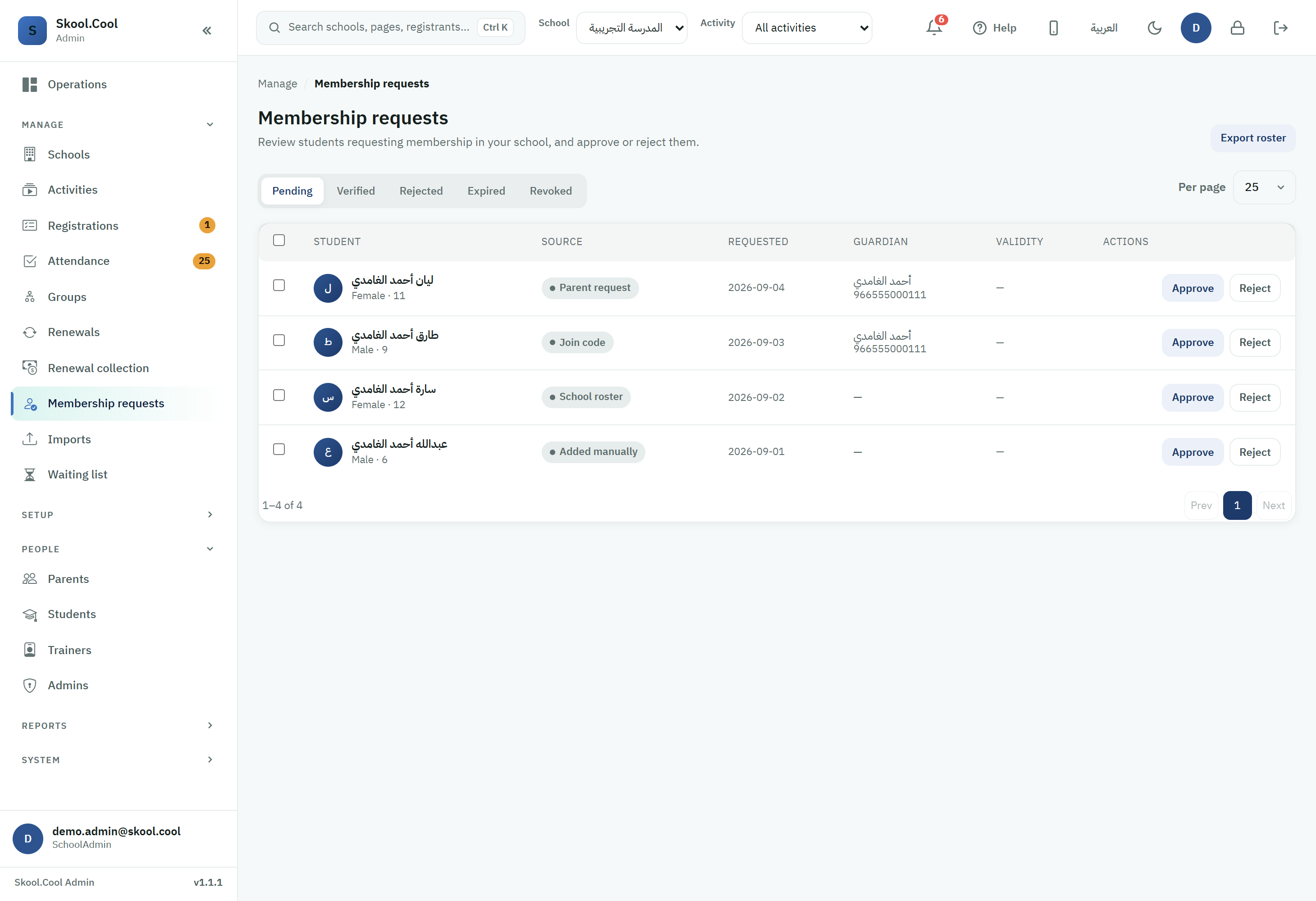
Other sources may also appear in the request-source column alongside those three: Parent request, when the guardian starts the request themselves from the app, and Import file, when an import creates the student's own record from your school's file and their membership is created with it in the same operation — unlike School roster, which matches students already in Skool.Cool. And if Other source appears, it means a source this version of the admin portal does not know about yet.
If your school is connected to the official school system, there is an extra automatic route: every night, Skool.Cool matches your school's currently enrolled students in the school system against the children registered in Skool.Cool by national ID, with a gender check, and creates a membership at your school automatically for a matching child. That membership appears in Membership requests under the same School roster source, and is verified immediately if automatic roster verification is turned on for you, or pending if it is off. The child's guardians receive a membership-verified notification naming the school. And if a student appears who does not belong to your school, stop their membership from Membership requests with the revoke action; it will not be created automatically again.
The membership states
A membership passes through the following states, shown to you in the tabs on the Membership requests page and in each row's state indicator:
| State | Code | What it means |
|---|---|---|
| Pending | Pending | A join request awaiting the school's decision (approve or reject). |
| Verified | Verified | An approved membership, valid for the current school year. |
| Rejected | Rejected | The request was rejected; the guardian can try again later. |
| Expired | Expired | The membership's school year has passed and it was not renewed. |
| Revoked | Revoked | The school cancelled the membership after it had been verified. |
A verified membership runs to the end of the school year, which is 31 August. The school year in Skool.Cool begins on 1 August: so a membership verified in August (the back-to-school season) belongs to the new year and runs to the end of August the following year, while a membership verified between September and July runs to the end of the coming August (the end of the current year). Verified memberships are renewed for the new year from the Membership requests page.
Important rules
- One active verified membership per student at a time; a student cannot be a verified member at two schools at once.
- Existing registrations are unaffected when a membership is revoked; revoking concerns the membership relationship alone.
- Turning it on is a prerequisite: the membership tools (the list, the roster, the code) appear once school membership is turned on for your school. See Turning on membership and the join code.
Permissions
- Viewing the membership list and making decisions: available to anyone with permission to manage membership (the school manager, and the coordinator depending on the setup).
- Importing the membership roster: a narrower permission normally held by the school manager; the coordinator may not have it by default.
See Roles and permissions for the differences between the roles.