Rejecting registration requests with a reason
Goal
Reject the registration request of a student who does not meet the conditions, giving the reason and notifying the parent so they can correct the request.
When do you need this?
When you find the student's age does not match the activity's age limits, the gender does not suit it, or the school does not have enough seats.
Before you start
- Permission required to reject: permission to reject registrations, or the general permission to manage registrations.
Where it lives
Sidebar > Activities > Registrations > the options for the student you want > Manage.
Steps
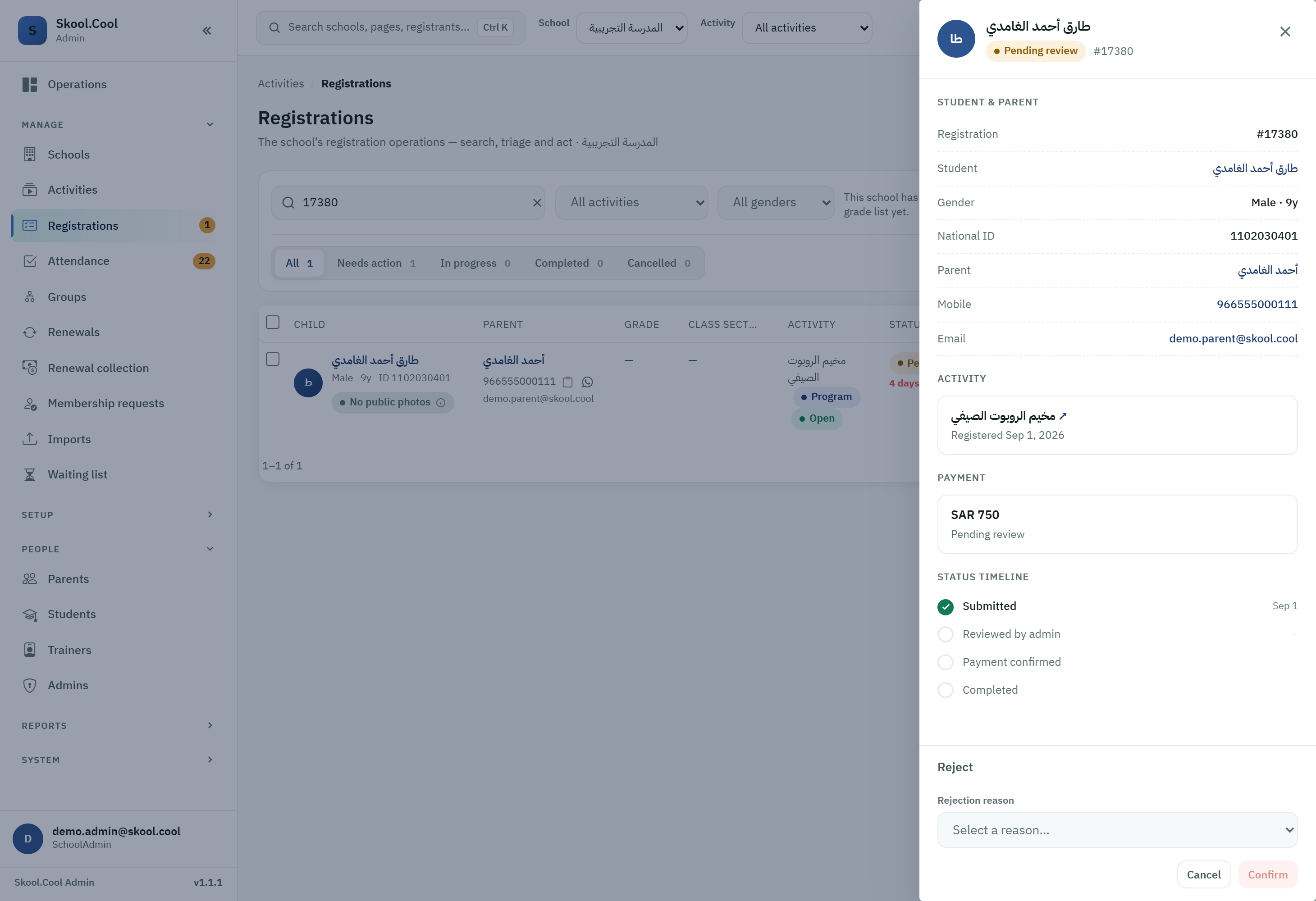
- On the request's detail page, go down to the actions section and press Reject.
- A dialog appears asking for the reason for the rejection.
- Choose the appropriate reason from the Rejection reason dropdown:
- Example reasons: the age does not match the activity, the activity is full, a problem with the attached details.
- Press Confirm to record the rejection.
- What rejection does:
- The request's status changes immediately to Rejected.
- The parent receives an immediate notification explaining that the request was rejected, showing the specific reason you chose.
Resubmitting
When a request is rejected it is not deleted from the system; instead, either the parents or the coordinator can correct the details and try again:
- From the parent's side: they can open the rejected request in their portal, correct the wrong choices (an incorrect date of birth for the child, for example), and then press Resubmit.
- From the coordinator's side: the coordinator can press Resubmit by hand from the management page, and the request returns immediately to Pending review to be assessed again.
Frequently asked questions
How do I reject a registration request and give the reason? Open the student with Manage, press Reject, choose the reason from the Rejection reason list, then press Confirm — and the parent is notified with that reason.
Is the request deleted after rejection? No; the request remains, and it can be Resubmitted once the details are corrected, returning it to Pending review.
Can the parent correct a rejected request themselves? Yes; they open the rejected request in their account, fix the error (a date of birth, say), then press Resubmit.