How does your child join a competition, and how do you consent?
Skool.Cool lets schools and organisers run competitions and leagues (sports, e-sports or academic) with a public page that shows the participants and the results. The student joins the competition from their own phone, without creating any account, and you, the parent, then receive a consent link by text message on the phone number the school holds for you. This page walks through the whole journey from both sides.
The student who wants to join a competition, and the parent who received the consent link. No step needs an account in the app.
First: how does the student join from their phone?
The student gets the join link (it ends in join) and the competition's access code from the school coordinator or the organiser, then follows these steps:
- Open the join link on the phone. A page opens with the competition's name and the organiser.
- Type the Access code received from the coordinator, then the personal mobile number under Your mobile number, and tap Send verification code.
- A 6-digit code arrives by text message. Type it into Verification code. If it does not arrive, Resend the code becomes available once the countdown ends.
- Fill in the details: Full name, pick Team / school from the list the organiser set, then Grade and Year of birth, and optionally Display nickname (optional).
- Read the privacy notice, tick I accept the competition's rules and the processing of my data to organise it., then tap Confirm nomination.
The message "We've received your nomination. Your school's coordinator will check it, then your parent gets the consent link by text message." then appears. At this stage the nomination is under review: the student does not appear on the public page until the organiser confirms them.
The Arabic privacy notice is the binding one. Where an English translation exists, the English page shows it followed by "The Arabic version of this notice is binding and prevails if the two differ.", and Read the binding Arabic text shows the Arabic; where there is none, the notice is shown in Arabic.
- The access code is checked before any message is sent, so type it exactly as the coordinator gave it.
- The mobile number must be a valid Saudi number: 9 digits starting with 5, without the leading zero (the +966 prefix is fixed on screen).
- A code is valid for a few minutes and a limited number of attempts; ask for a new one if it expired.
- A number that already joined this competition cannot submit a second nomination.
Second: what happens after the nomination?
- School verification: the school coordinator reviews the nomination, confirms the student belongs to the school, and enters the parent's mobile number from the school records, never from the student, so the consent is trustworthy.
- The consent link: you receive a text message with the consent link on the phone number the school holds for you.
- Confirmation: after your consent the organiser confirms the student, who receives a player number and appears on the public page.
Competitions for adults do not ask for a parent's consent. In school competitions consent is required for every minor, and anyone who nominates themselves from a phone is treated as a minor until the school verifies the birth year.
Third: how do you consent as the parent?
- Open the consent link from the text message. The Parent consent page shows the competition, the organiser, the student's first name and team.
- Read the privacy notice: the participant's data is processed to run this competition only.
- Under Taking part tap I agree to my child taking part or I don't agree.
- A 6-digit code arrives on your phone; type it under Verification code and tap Confirm. The status then reads Consent recorded.
- Showing the name on the public page (optional): by default your child appears on the public page as a player number only. If you want the first name or the approved nickname shown, tap I agree to showing the first name or nickname and confirm with the code. You can reverse this at any time with Hide the name.
The consent texts are binding in Arabic. Where English translations exist, the English page shows them under "The texts below are English translations for your convenience. The Arabic text of each is the binding version and prevails if the two differ.", and Read the binding Arabic text shows the Arabic; where there are none, the line "The consent texts below are in Arabic only. The Arabic text is what you agree to." appears and the texts are shown in Arabic.
The link is tied to the phone number the school holds for you, and every decision is confirmed with a code sent to you. Do not share it. If you receive a link about a student you do not know, ignore it and tell the school.
What appears about the player on the public page?
| Situation | What everyone sees |
|---|---|
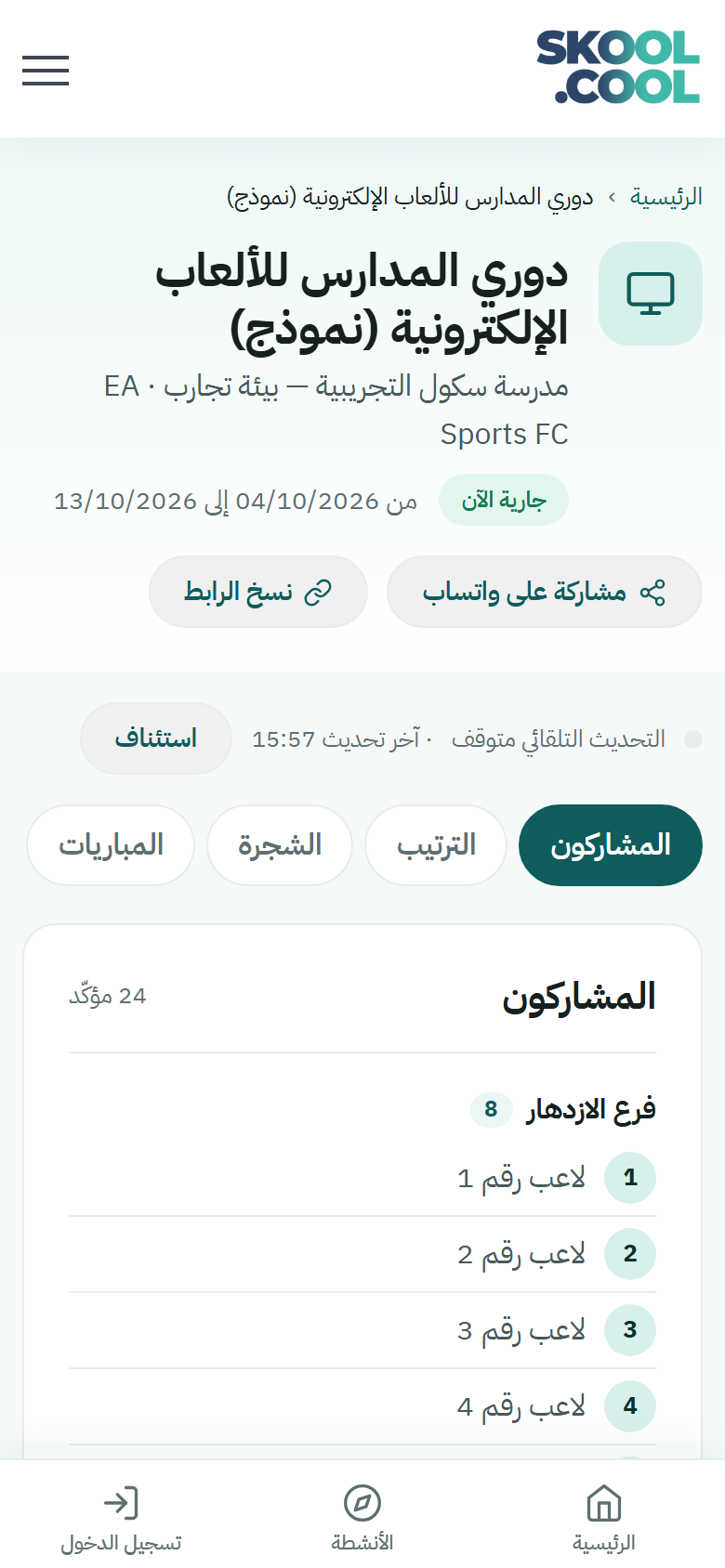
| No consent to show the name | «لاعب رقم N» (player number N) with the team name only — this label is shown in Arabic on the English page too |
| The parent consented to showing the name | The first name or the approved nickname, depending on the competition's setting |
| The school recorded a written-consent attestation | The first name or the approved nickname |
| The organiser hid the player | Not listed on the public page |
The public page never shows: the phone number, the full name, the grade, the birth year, or any parent data.
Withdrawing consent or asking for erasure
- Withdraw consent: open the same consent link at any time, tap Withdraw consent and confirm with the code. The player stops appearing on the public page, and the organiser is informed.
- Hide the name only: from the same link tap Hide the name; the student stays a participant but goes back to appearing as a number only.
- Erase the personal data: contact the organiser or the school. The name, the phone numbers and the parent data are erased permanently; only the player number and the team remain so the results stay intact.
- If the consent link did not arrive: ask the school coordinator to resend it. It can be resent a limited number of times per day, and every new link cancels the previous one.
Keeping track of the competition
The public competition page lists the confirmed participants by team, the rules and the prizes, and refreshes itself while it is open. You can share it with Share on WhatsApp or Copy link, and the Register now to take part button takes the student to the join page as long as nominations are open.
Once the organiser starts the competition and the draw is made, further tabs appear at the top of the page:
- Participants: the confirmed players, ordered by team.
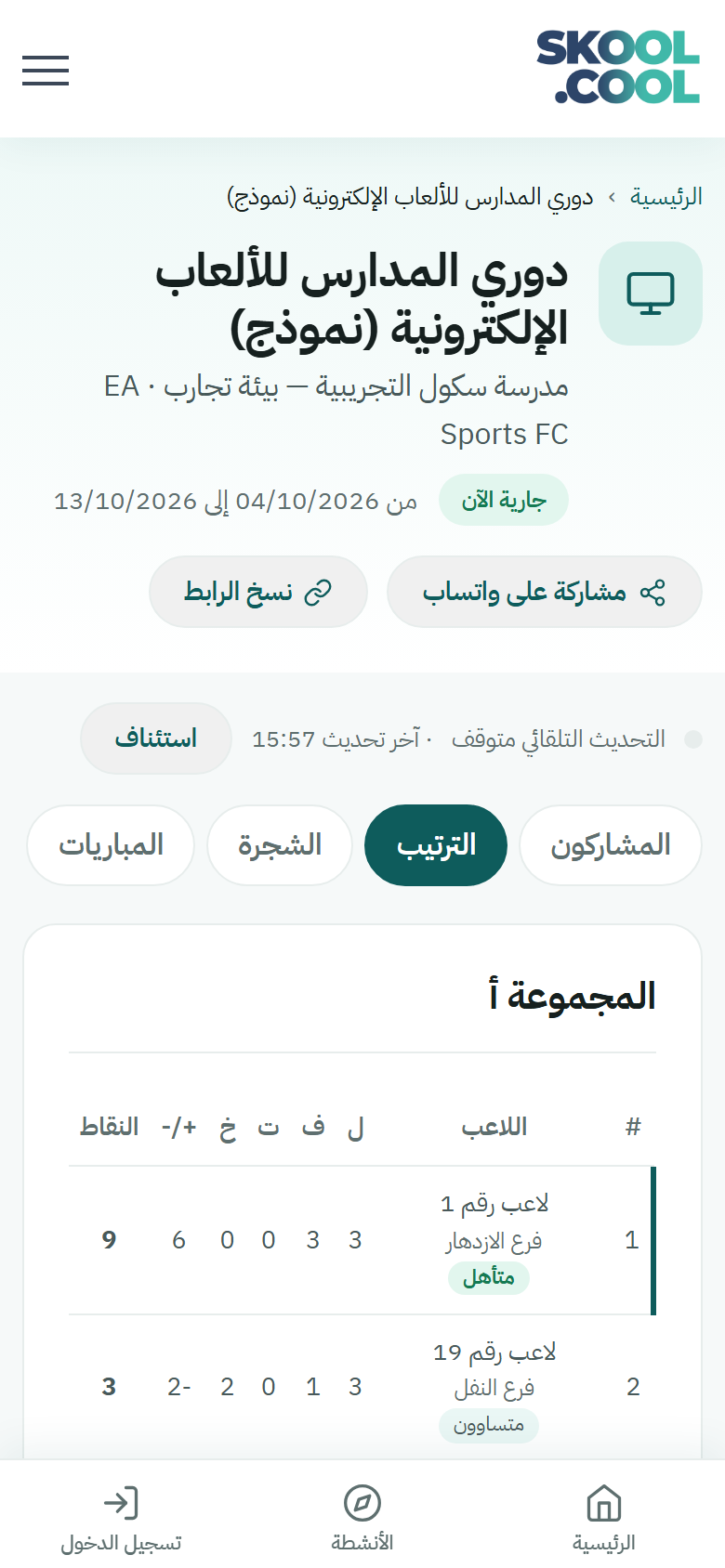
- Standings: a table for each group (played / won / drawn / lost / difference / points), with Qualified beside whoever goes through to the knockout rounds.
- Bracket: the knockout path through to the final. The bracket is wider than a phone screen, so drag it sideways to see the remaining rounds.
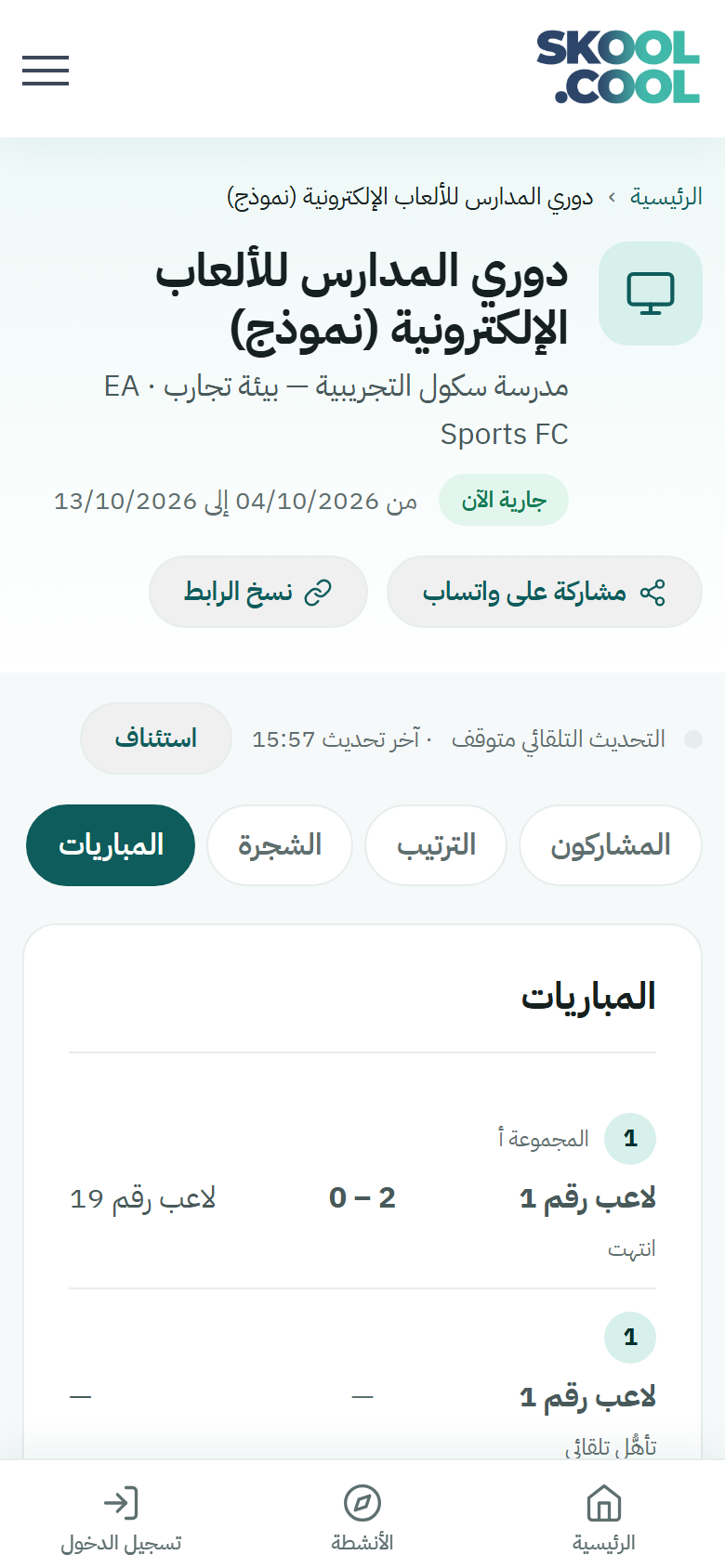
- Matches: every match with its result and its state (Finished, Result awaiting approval before the referee confirms it, or Bye when a player goes through without playing because their round did not fill).
The page refreshes itself while the matches are being played. You can stop the refresh with Pause and start it again with Resume — useful if you are reading a long table and do not want it changing underneath you.