How do you find an activity that suits your child?
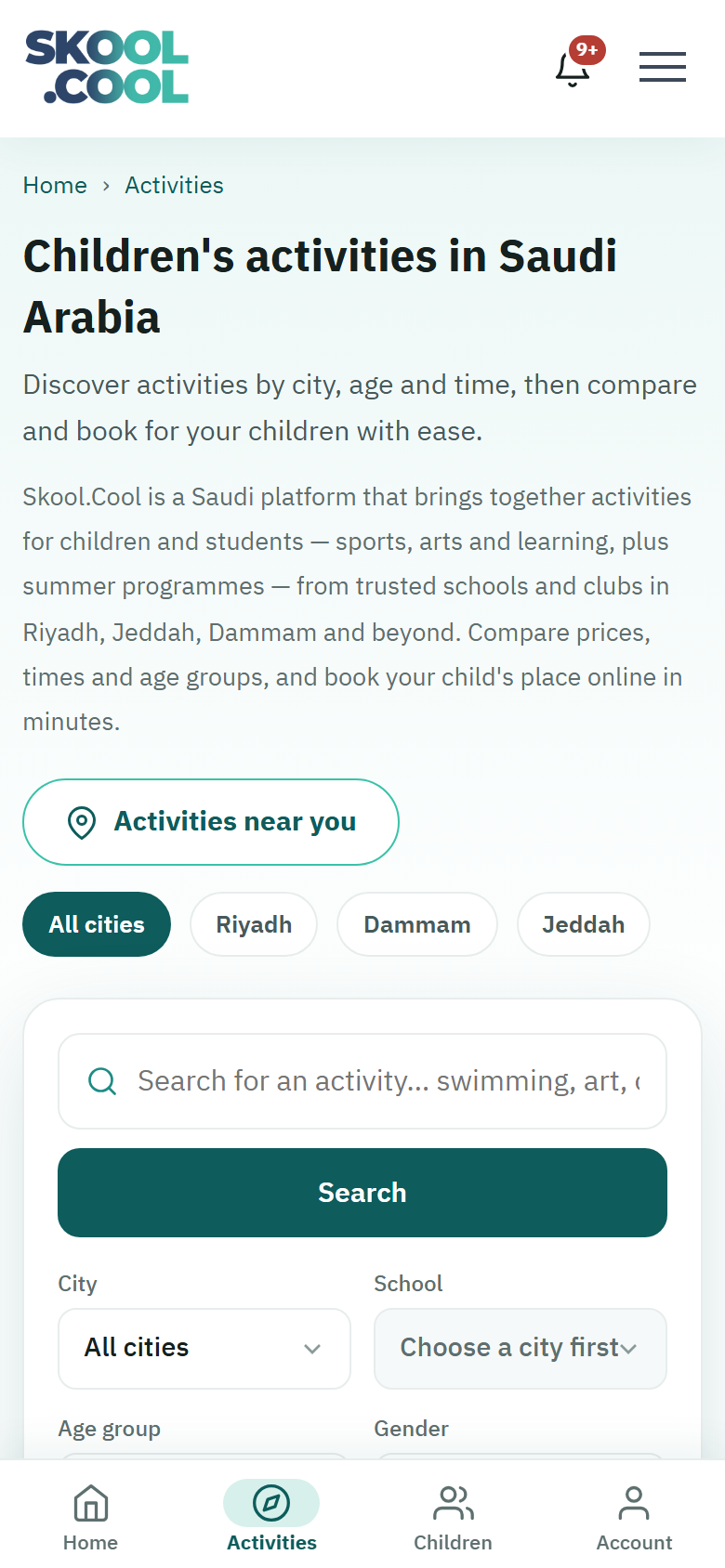
The Skool.Cool parents' app has a search engine and flexible filters to help you find the right activity for your child, based on their location, age and gender, and on your preferences for timing and fees.
Using the search and the filters
- Press the Activities section in the main menu to reach the search.
- Use the search bar and the tools available to narrow the results:
1. Quick text search
Type part of the activity's name, the school's name or the sport into the search bar. Activity and school names appear as the school wrote them, so search in the same words — «كرة قدم» (football), «روبوت» (robotics), «الفرسان», say. Results start appearing as soon as you have typed at least three characters.
2. The city and school filters
- City: choose the city you are searching in. Only cities that currently have open activities appear.
- School: once you have chosen a city, you can narrow to a particular school within it, from the list that then appears by itself.
3. The quick and category filters
- Age group: set your child's school stage, to filter for activities suited to their physical and mental abilities:
- Kindergarten
- Primary
- Intermediate
- Secondary
- Gender: choose Boys, Girls or All, to filter activities divided by gender.
- Time: set the time you prefer — Morning, Evening or Any time — to fit around your child's school timetable.
- The fee type: shown as quick chips for choosing between All, Free only and Paid, to match your budget.
Searching by location: activities near you
To find activities near you without searching by hand:
- Press Activities near you. While it works it shows Finding your location…
- Your browser will ask your permission to use your current location.
- Once you have given it, the system finds the nearest city to you and filters for the activities available near you.
If you refuse permission for your location, the message "Location permission was denied. Choose your city from the list." appears; if your location cannot be determined for another reason, the message "Couldn't find your location. Please try again." appears. And if there are no activities near you at the moment, the message "No cities are available near you right now." appears. In each of these cases you can choose the city by hand from the filters.
Frequently asked questions
How do I find an activity that suits my child? Open Activities, type part of the activity's name — three characters or more — or use the filters: the city, the school, the age group, the gender, the timing and the fee type.
How do I find activities near where I am? Press Activities near you and give your browser permission to use your location; it will show the activities near the closest city to you.
How do I filter for free activities only? From the fee-type filter, choose Free only.
Why does my city not appear in the list? Only cities that currently have open activities are shown; if yours does not appear, there are no activities available there at the moment.