Guardians and sharing a child's profile
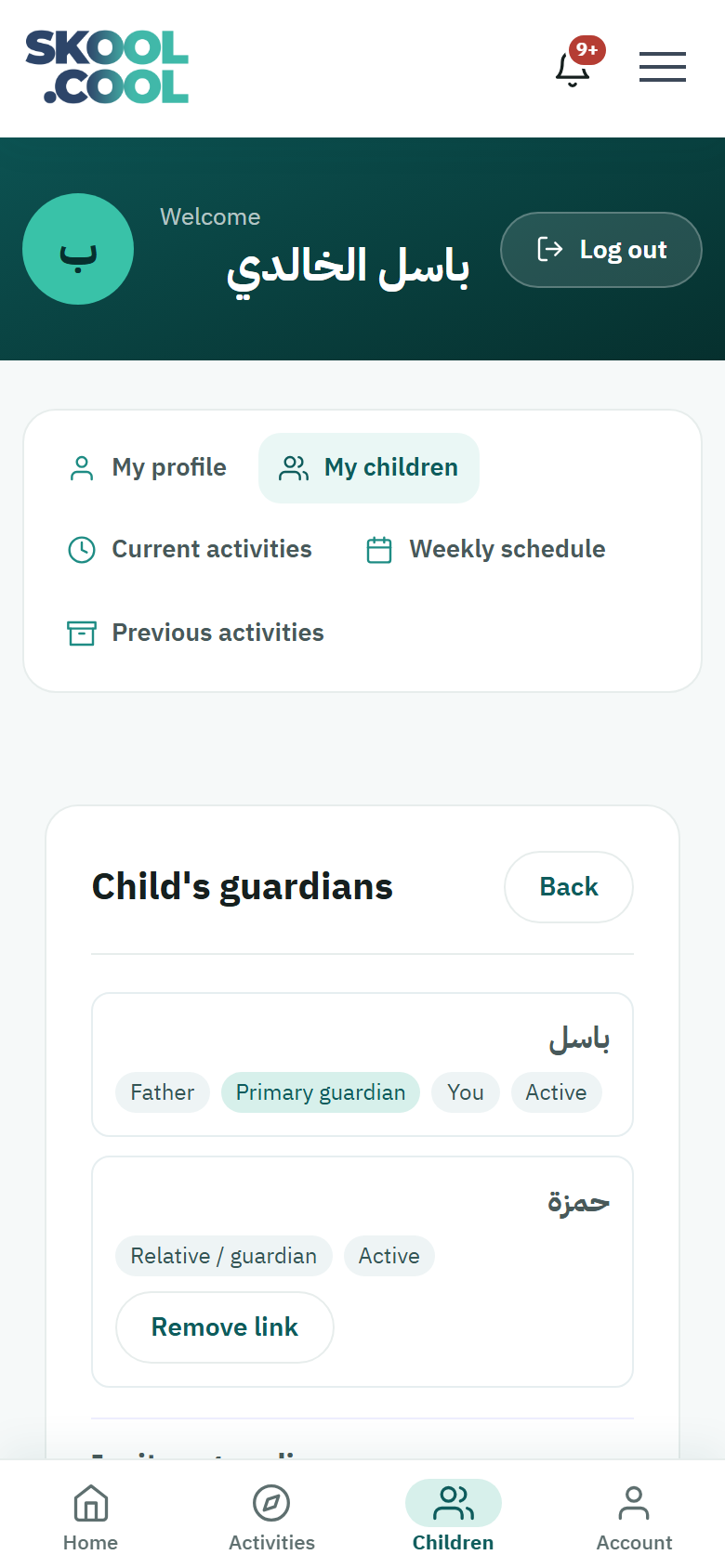
Skool.Cool lets several parents — a father, a mother, a grandparent — share keeping track of one child: browsing and booking activities, keeping track of attendance, and receiving notifications, without duplicating the child's record.
The kinds of guardian, and what each can do
- Primary guardian — whoever added the child first. Full authority: editing the child's details, booking, paying, inviting other guardians, and removing their links.
- The guardians linked afterwards — whoever joins the profile later, by the primary guardian's agreement. A linked guardian can book, keep track of attendance and pay, but cannot edit the child's basic details (the name, the date of birth, the ID number) or remove the primary guardian's link. Only Primary guardian appears as a distinguishing label in the guardians list.
Inviting a new guardian
If you are the primary guardian and want to add another guardian — linking the mother's account, say:
You can only invite somebody who already has a Skool.Cool account. If the other person — the mother or the father, say — does not have one yet, ask them to register on the platform first with their mobile number, and then invite them on that same number.
- Go to My children → Guardians for the child in question.
- The current guardians and their relationship to the child are listed.
- Go to the Invite a guardian section below the list.
- In the Mobile number field enter the guardian's number, then set Relation to the child: Father, Mother, or Another relative / guardian.
- Press Send invitation.
- The new guardian receives a notification to accept the invitation and start sharing.
Removing a guardian's link (the primary guardian only)
- From the child's Guardians page, find the guardian in question.
- Press Remove link.
- A confirmation, Remove the link?, appears — confirm it to remove their access immediately.
Frequently asked questions
How do I share keeping track of my child with another parent (the father or the mother)? As the primary guardian, open Guardians for the child and, under Invite a guardian, enter their mobile number and their relationship to the child, then press Send invitation for them to accept.
What is the difference between the primary and the linked guardian? The primary guardian has full authority — editing the child's details and managing the guardians. A linked guardian books, keeps track and pays, and nothing more.
How do I remove a guardian's link to my child's profile? From Guardians, press Remove link beside their name and confirm. This is available to the primary guardian only.
I was invited as a guardian — how do I accept? A notification about the invitation reaches you; see Link requests and invitations to approve it.